Stop Manually Copying Transactions: Convert Bank Statements to CSV in Seconds with AI
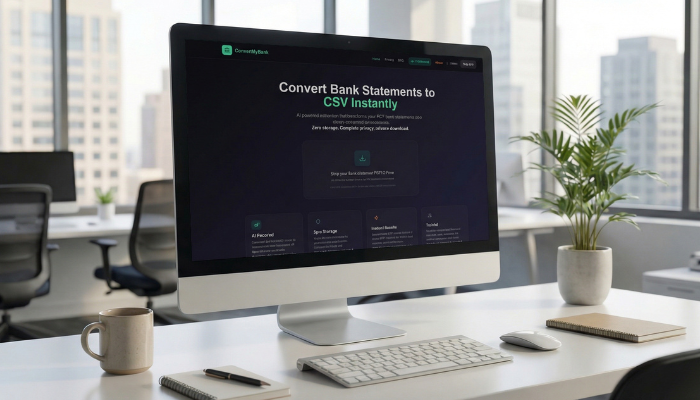
Why Do More Work Converting PDF's to a Spreadsheet?
If you’ve ever tried to pull transaction data from a PDF bank statement, you already know the struggle:-
Copy-pasting line by line
-
Formatting issues in Excel
-
Missing debits and credits
-
Hours wasted on manual entry
For accountants, business owners, financial advisors, and anyone managing finances, manual statement work is more than annoying—it’s inefficient.
That’s why more professionals are switching to AI-powered bank statement conversion.
With ConvertMyBank, you can convert bank statements to CSV instantly, saving time, reducing errors, and keeping your data completely private.
Why Converting Bank Statements to CSV Matters
Most banks still issue statements in PDF format. While PDFs are great for viewing, they are not designed for data analysis or accounting software.
A CSV file, on the other hand, allows you to:
✅ Upload transactions directly into Excel
✅ Import data into QuickBooks or Xero
✅ Categorize spending automatically
✅ Run cash flow reports
✅ Simplify tax and bookkeeping workflows
Converting a PDF bank statement into a spreadsheet is often the first step in serious financial organization.
The Problem with Manual Bank Statement Entry
Manually converting bank statements comes with major downsides:
Time Consumption
Entering dozens—or hundreds—of transactions can take hours.
Human Error
One misplaced decimal or missing line item can throw off reconciliations.
Inconsistent Formats
Every bank structures its PDF statements differently, making automation difficult.
Businesses need a faster, cleaner solution.
Introducing AI-Powered Bank Statement Extraction
Modern tools like ConvertMyBank use advanced AI to extract financial data accurately across thousands of bank formats worldwide.
Instead of struggling with formatting, the AI automatically detects:
-
transaction dates
-
descriptions
-
debits and credits
-
balances
-
structured transaction rows
The result: a clean, organized CSV file ready for analysis.
ConvertMyBank: The Fastest Way to Convert PDF Bank Statements to CSV
ConvertMyBank is built specifically for privacy-focused financial statement conversion.
Here’s what makes it stand out:
✅ Instant Bank Statement to CSV Conversion
Just upload your PDF statement and download a clean CSV file in seconds.
No software installs. No complicated steps.
✅ Zero Storage Privacy
Unlike many online converters, ConvertMyBank processes your statement entirely in memory.
Your files are never stored, ensuring maximum privacy and compliance.
Perfect for accountants and businesses handling sensitive financial records.
✅ Works with Banks Worldwide
ConvertMyBank supports thousands of different statement layouts and formats globally, making it one of the most flexible AI bank statement converters available.
✅ Trusted by Professionals
Accountants, financial advisors, and businesses trust ConvertMyBank for reliable extraction that saves time and produces accurate spreadsheets.
Best Use Cases for Statement Conversion
Converting bank statements to CSV is essential for:
-
bookkeeping and reconciliation
-
loan or mortgage documentation
-
expense tracking
-
business accounting
-
tax preparation
-
financial audits
-
client reporting
Whether you manage personal finances or handle multiple business accounts, CSV conversion simplifies everything.
Ready to Convert Your Bank Statement the Smart Way?
Stop wasting hours copying transactions manually.
With ConvertMyBank, you can:
✅ Convert PDF bank statements to CSV instantly
✅ Organize debits and credits automatically
✅ Keep your data private with zero storage
✅ Download results immediately
Try it today and experience AI-powered statement conversion built for speed, accuracy, and trust.